
Un seul compte Saxo suffit pour accéder à nos plateformes.

Your platform already knows more than it shows you
Options 10 minutes to read

Résumé: AI assistants now let traders who do not write code use the Saxo OpenAPI by asking plain questions. How the route works, where to stay careful, and a live build on 4 November.
AI assistants have made a broker’s data connection usable for anyone who can ask a clear question.
Every morning before the open, many active traders and investors go through the same routine. They open the platform, check how their positions moved overnight, look at what is getting close to a stop or a target, and decide what needs attention. It works, but it takes time and relies on you spotting everything yourself.
Most of that information is already available in a structured form. Saxo’s OpenAPI is the same kind of connection Saxo’s own platforms are built on, used to fetch prices, positions, orders and account data. What has changed recently is who can use it.
A third way in
Until recently there were two ways to use an API like this. You could read the documentation and work out the requests yourself, or you could become a developer and build software around it. Both took time and technical skill most investors would rather spend on markets.
AI assistants add a third route. You describe what you want in plain language, for example "which of my positions moved more than usual yesterday, and which are close to the levels I set?" The assistant then writes the code that asks the API for it. You read the result, check it against your platform, and change the question if it isn’t quite right. Going from an idea to a working tool can now take an afternoon rather than weeks.
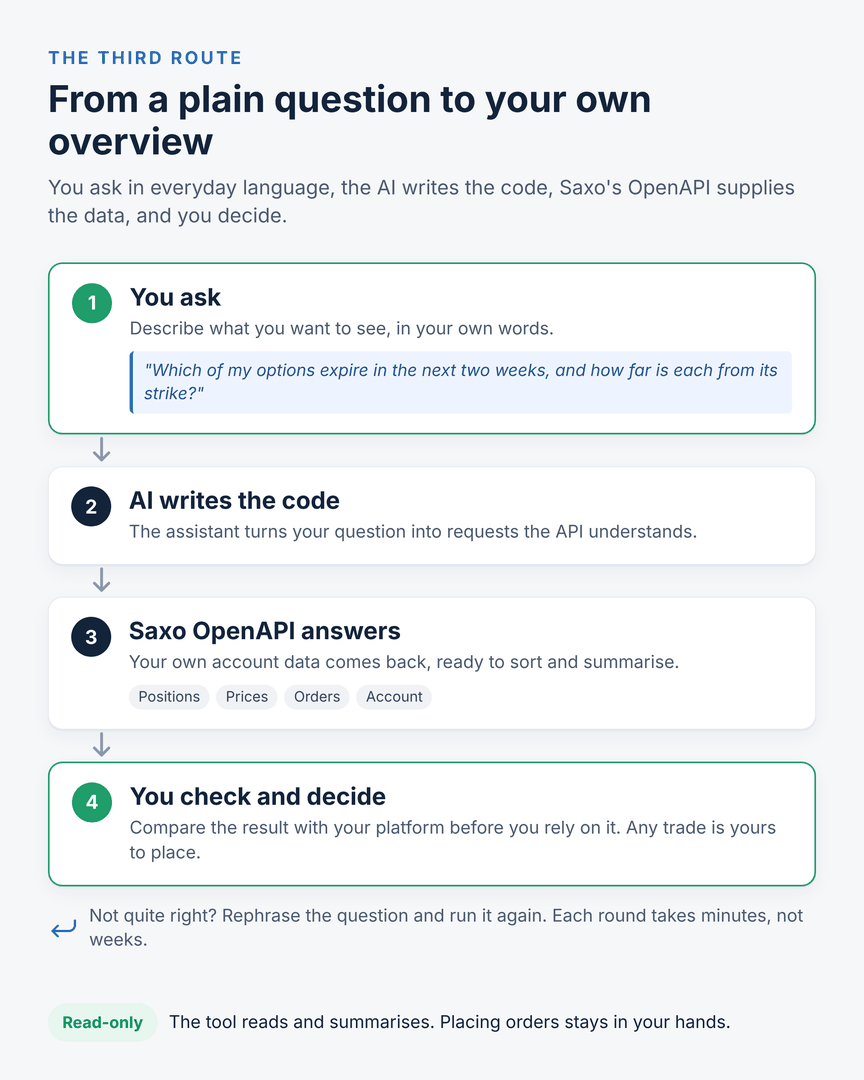 The third route: you ask, the AI writes the code, the API supplies the data, and every decision stays with you.
Important note: The strategies and examples provided in this article are purely for educational purposes. They are intended to assist in shaping your thought process and should not be replicated or implemented without careful consideration. Every investor or trader must conduct their own due diligence and take into account their unique financial situation, risk tolerance, and investment objectives before making any decisions. Remember, investing in the stock market carries risk, and it’s crucial to make informed decisions.
What it looks like in practice
The useful applications are modest. One is a morning overview of your portfolio that flags what needs a decision. Another is a screen that uses your own criteria instead of a generic preset. The chart below is one example, built for options traders: it places each name by how expensive its options are compared with the past year and by its recent momentum, and each area of the grid is labelled with a type of strategy a trader might want to study further. Options carry a high risk of rapid loss and are not suitable for every investor. Costs and charges apply to each leg and vary by account and venue; check the applicable rates before entering any position. The same approach works for whatever you care about, whether that is valuation, momentum or dividends. These tools sit next to the platform and do the reading for you, so your attention goes to the decisions.
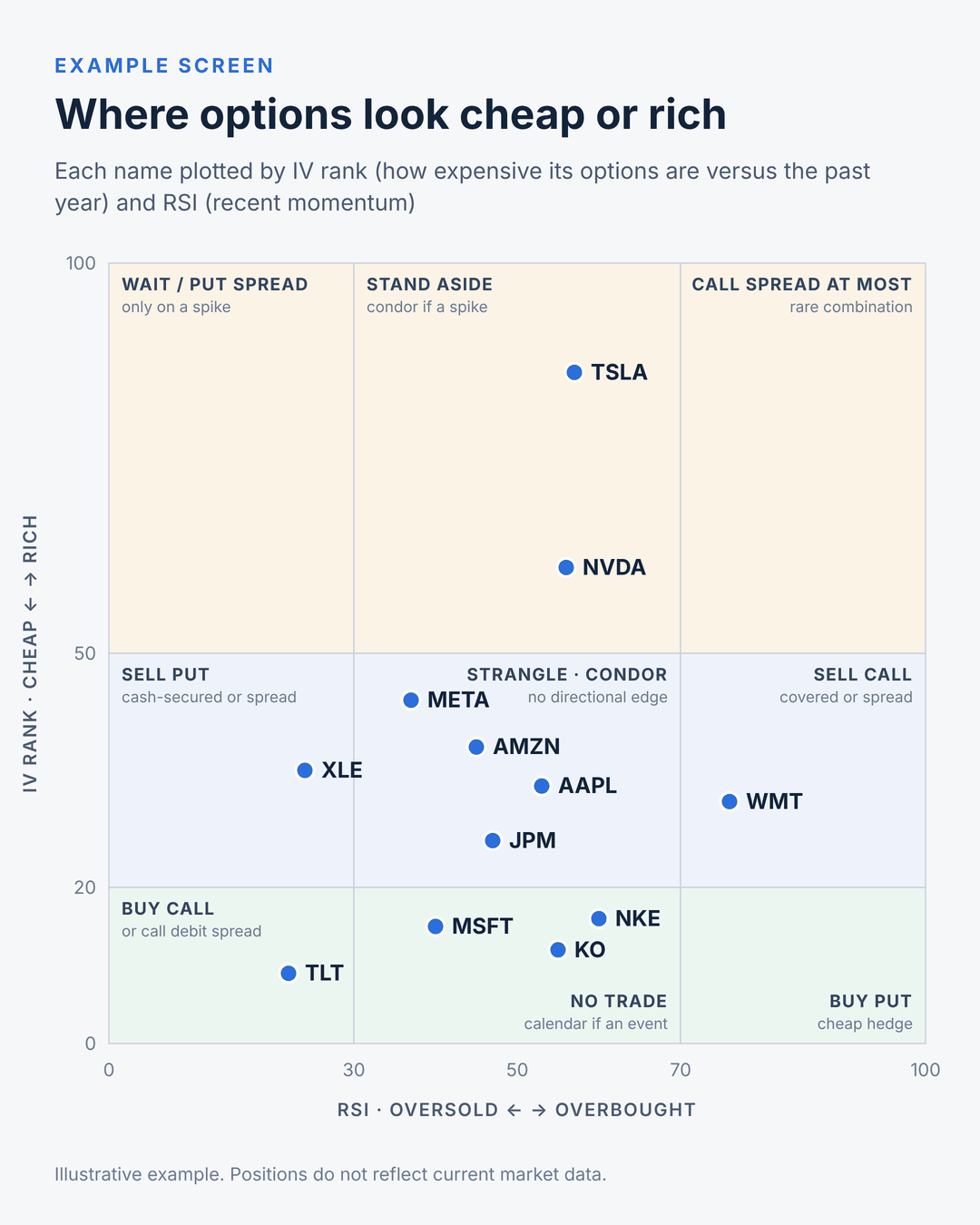 An example for options traders: IV rank against RSI. The tickers, their positions and the strategy labels are hypothetical and for education only, not advice or a trade recommendation. Selling options can lead to losses well beyond the premium received.
Where to stay careful
AI makes mistakes, and an API only accepts requests in exactly the right form. Assistants sometimes invent field names or misread what a value means, so check every tool against what your platform shows before you rely on it. A sensible way to start is to keep things read-only: the tool gathers and summarises, and placing orders stays with you. Saxo’s developer portal offers test access to a simulation environment, the right place to experiment before anything touches a live account.
See it built live
On 4 November at 13:00 CET I’ll host the webinar "Using AI and OpenAPI to elevate your Saxo platform experience". During the session I’ll build a small working tool on the Saxo OpenAPI from scratch, live, in about fifteen minutes, using plain-language instructions. You’ll see the whole process, including the parts that go wrong. Register for the webinar here.